If you have installed a CCTV system at your home, office, or shop, you already know the peace of mind it brings. But here is the truth we often discuss at the CCTV helpdesk: just installing the cameras is not enough! Proper, regular maintenance is very important to keep your security system running smoothly day and night.
Many people face common daily issues—like a camera suddenly not working, showing “no video” on the screen, blurry nighttime footage, or the DVR stopping its recording. In most cases, you don’t even need to call a professional. These problems can be solved very easily if you just have the right CCTV maintenance tools at hand.
In this complete 2026 guide, we will explain all the important items you need in very simple language. Whether you are a shop owner, a homeowner, or someone looking for basic CCTV tools for beginners, this list will help you out.
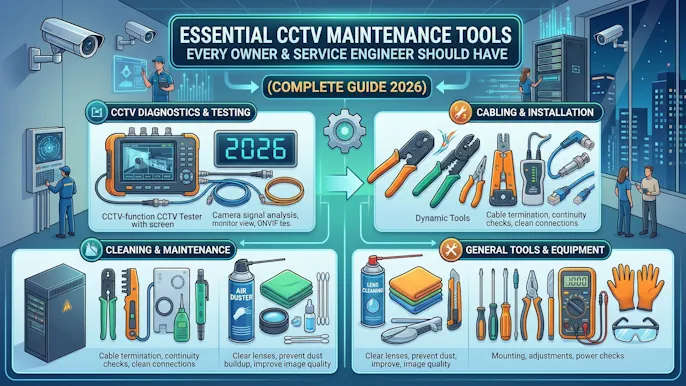
Why CCTV Maintenance Tools Are Important
Your security cameras work 24/7, facing harsh sunlight, heavy monsoon rains, and thick dust. Over time, loose wire connections, voltage fluctuations, and dirty lenses can cause your system to fail.
If you don’t have the proper tools at home:
- You cannot identify where the actual problem is.
- You will waste money paying the visiting charges of technicians for very small fixes.
- Your home or shop’s security remains at risk while you wait for help.
Having a basic set of CCTV Maintenance Tools allows you to CCTV troubleshooting yourself, save your hard-earned money, and ensure your system never goes offline.
Basic CCTV Maintenance Tools List (Must-Have)
Let’s start with the essential items every camera owner should keep ready. Consider this your ultimate CCTV repair tools list.
1. Screwdriver Set
A good quality screwdriver is the most basic and most used tool.
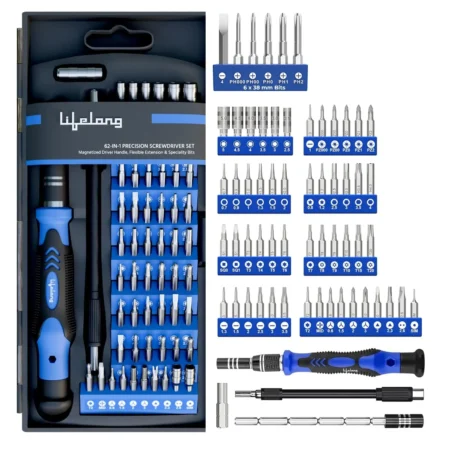
- Why you need it: To open the camera housing, tighten loose mounting screws that shake in the wind, and open the DVR/NVR to check the hard drive connections.
- 👉 Pro Tip: Always buy a multi-bit screwdriver set (with both flat and star/Philips heads) with a magnetic tip so you don’t drop tiny screws while standing on a ladder.
2. Digital Multimeter
A multimeter is a lifesaver when dealing with electrical problems, especially with our frequent power cuts and voltage drops.
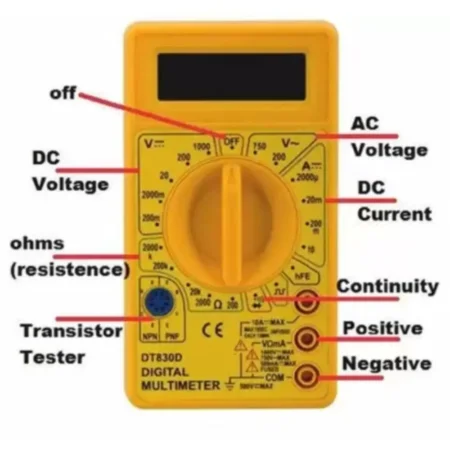
- Why you need it: To check if your power supply adapter is actually working, to test the voltage reaching the camera, and to find out if a cable is broken from inside. If your camera is totally dead, a multimeter will quickly tell you if the power is coming or not.
3. BNC Connector & Crimping Tool
If you are using an analog camera system (using coaxial cables), this tool is a must.
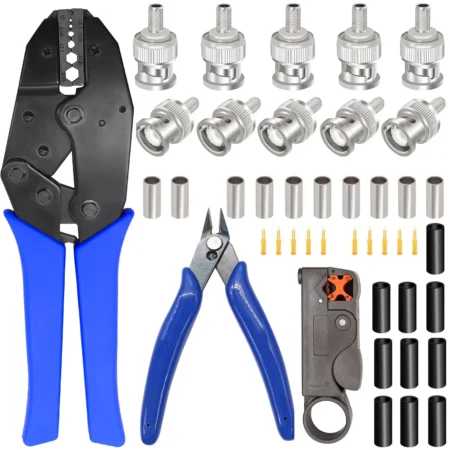
- Why you need it: A loose, rusted, or kharab (bad) BNC connection is the number one reason behind the “No Video” error on your screen. A crimping tool helps you cut the wire and attach a fresh, tight BNC connector perfectly.
4. LAN Cable Tester
For modern IP cameras (Network cameras), a LAN tester is highly required.
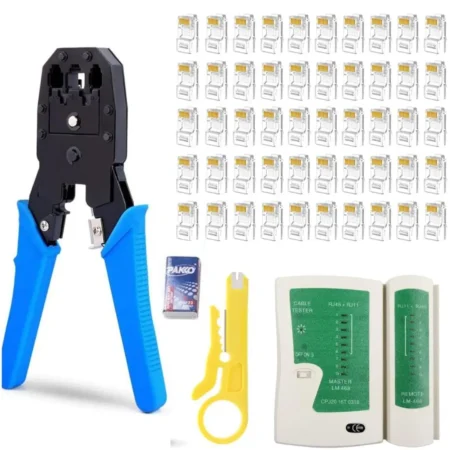
- Why you need it: Sometimes rats bite the wires, or the RJ45 pin gets loose. This simple battery-operated tester will instantly tell you if the LAN cable is sending data properly from the camera to the NVR.
5. CCTV Tester Monitor (Professional Tool)
While this is generally found in a list of tools for CCTV technician, serious owners can benefit from a basic version too. It looks like a mini TV screen.
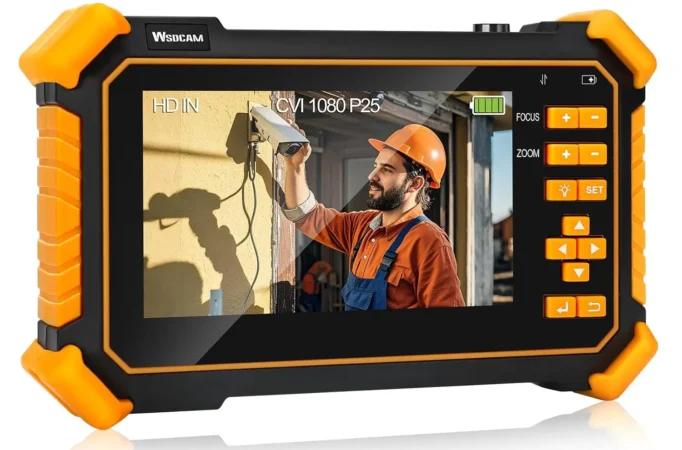
- Why you need it: You can plug a camera directly into this device while standing on a ladder to check its video quality, test IP and analog feeds, and adjust the exact viewing angle without shouting down to someone looking at the main display!
6. Microfiber Cleaning Kit (Highly Ignored!)
People spend thousands on cameras but clean them with dirty cloth, which scratches the lens.
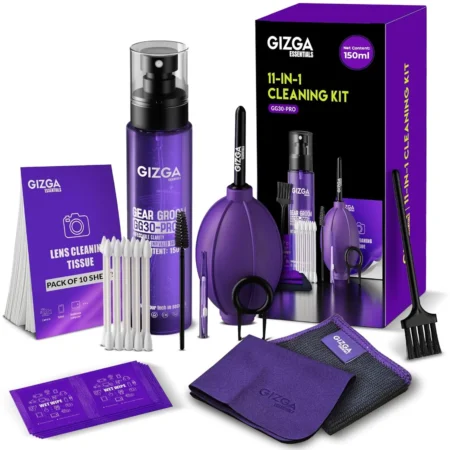
- Why you need it: A simple kit with a microfiber cloth, a soft brush, and an air blower removes dust and cobwebs. Dust on the lens ruins the infrared (IR) night vision by reflecting light back into the camera, making the footage look foggy. Regular cleaning improves video quality instantly.
7. Spare Power Supply / 12V Adapter
Many times, the camera is perfectly fine, but the power adapter has burnt out due to a voltage spike.

- Why you need it: Keeping an extra 12V 1A or 2A power adapter at home helps you quickly swap out the old one to test if the camera turns back on.
8. Insulation Tape & Cable Ties
These are very cheap but incredibly useful for any wiring job.
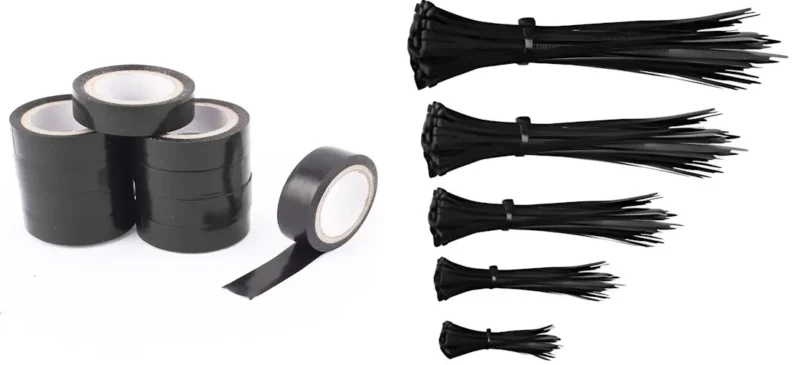
- Why you need it: To tightly secure hanging wires, protect outdoor wire joints from rainwater using waterproof tape, and manage cables neatly behind the DVR so they don’t get pulled accidentally.
9. Drill Machine
If you ever plan to shift a camera to a better angle or install a new one, you need a basic drill.
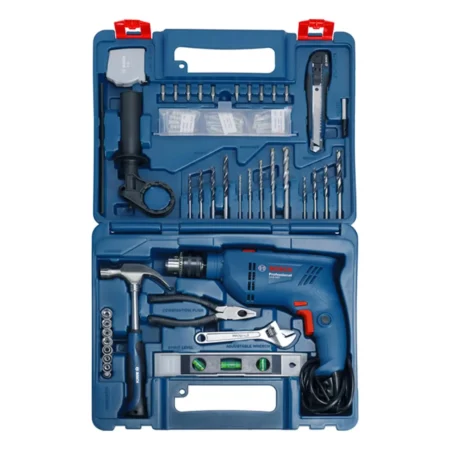
- Why you need it: For mounting new camera bases, fixing metal brackets, and drilling holes in the wall to pass cables safely.
10. Smartphone or Laptop with Apps
In 2026, software is just as important as hardware.
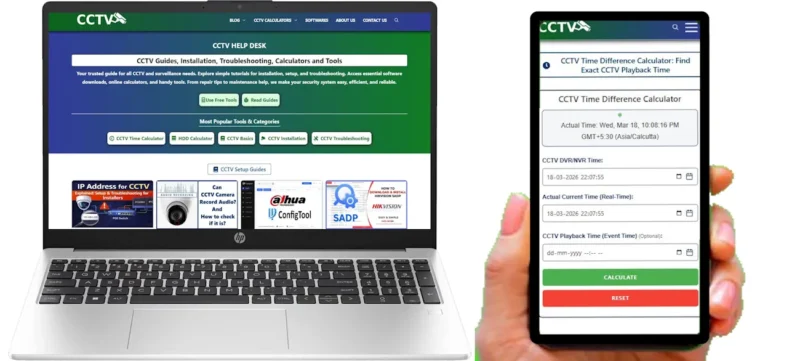
- Why you need it: Having the correct app (like CP Plus, Hikvision, or Dahua apps) installed allows you to access your DVR/NVR settings remotely, format your hard drive, or check playback to troubleshoot recording issues.
The Game Changer: Digital Tools & Online Calculators
In 2026, fixing physical wires isn’t enough; you need smart digital tools on your phone or laptop. Guesswork is the biggest enemy of a secure CCTV setup. Whether you are an owner planning to buy a new hard disk, or an engineer trying to calculate exact requirements for a client, accurate data is a must.
Instead of doing manual math, you should bookmark and use these specific online calculators for different tasks:
1. For Planning Hard Drive Purchases: The Storage Calculator
Never guess how many days of recording you will get. If you are installing 4 new cameras and want exactly 30 days of backup, use the CCTV Storage Calculator to find out the exact Terabytes (TB) you need to buy.
2. For Correcting Time Mismatch Issues: The CCTV Time Difference Calculator
If your CCTV footage time does not match the actual time, it can create serious confusion during playback or evidence checking. Instead of manually guessing, use the CCTV Time Difference Calculator to quickly find the exact time gap and adjust your system accurately.
3. For Network Issues: The Bandwidth Calculator
If your IP cameras are lagging or making your home Wi-Fi slow, they might be using too much data. Use the CCTV Bandwidth Calculator to check how much internet speed your specific camera resolution and frame rate are consuming.
4. For Matching DVR/NVR Clocks: The Time Difference Calculator
A very common issue during police investigations or incident tracking is that the DVR time does not match the actual real-world time. You can use the CCTV Time Difference Calculator to quickly find the exact offset and export the correct footage without any confusion.
5. For Perfect Camera Views: The Lens Focal Length Calculator
Not sure if you need a 3.6mm lens or a 6mm lens to capture a gate 20 meters away? Don’t buy the wrong camera. Use the CCTV Lens Focal Length Calculator to know the exact lens size required for your target distance.
Advanced CCTV Installation and Maintenance Tools (Optional)
If you are running a large setup for a warehouse or you are a tech-lover, you might want to upgrade to these advanced CCTV installation and maintenance tools:
- PoE Injector/Tester: To check power over ethernet for IP cameras.
- Spare Network Switch: To bypass faulty ports.
- HDD Health Checking Software: To check if your CCTV hard disk is failing.
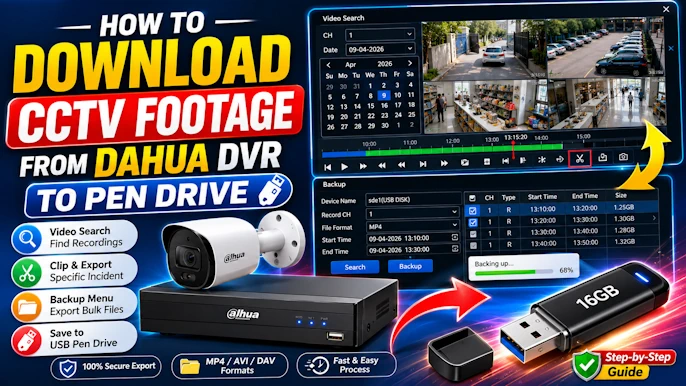
- USB Pendrive: Crucial for quickly taking a backup of important video footage before formatting a system.
Common Problems You Can Fix With These Tools
Once you have your kit ready, you will easily be able to solve:
- “No Video” Issue: By changing the BNC connector or power adapter.
- Camera Not Turning On: By testing the power cable with your multimeter.
- Blurry Night Vision: By cleaning the lens with your microfiber kit.
- Network Disconnection: By testing the wire with a LAN tester.
Maintenance Tips for Better CCTV Performance
- Clean the Lens: Gently wipe the camera dome every 15 to 20 days.
- Check the Wires: Inspect outdoor cables monthly for sun damage or rat bites.
- Cool Environment: Keep your DVR/NVR in an open, well-ventilated space so the hard drive doesn’t overheat.
- Check Storage: Once a week, open your mobile app to ensure the cameras are actually recording and saving the past days’ footage.
Final Words
You really don’t need to be a professional engineer to take care of your security system. Keeping these CCTV maintenance tools at home will save you a lot of time, money, and stress. Start by building a basic kit with a screwdriver, cleaning cloth, and multimeter, and upgrade as you learn more!
FAQs
Q1. What are the basic CCTV maintenance tools?
The most basic tools include a multi-bit screwdriver set, a digital multimeter, a LAN cable tester, a microfiber cleaning kit, and a spare 12V power adapter.
Q2. Can I maintain my CCTV system myself?
Yes, absolutely! With a little knowledge and basic CCTV tools for beginners, you can easily clean your cameras, fix loose connections, and change faulty power adapters without calling a mechanic.
Q3. Which tool is best for CCTV troubleshooting?
A digital multimeter and a portable CCTV tester monitor are the best CCTV troubleshooting tools. They help you instantly find out if the problem is in the wiring, the power supply, or the camera itself.
Q4. How often should CCTV maintenance be done?
You should do a basic system check (checking if recording is on) every week. Physical cleaning of the camera lenses should be done every 2 to 3 weeks, and a full wiring check every few months.