In a video surveillance system, a DVR (Digital Video Recorder) is a dedicated electronic recording unit that receives raw analog or High-Definition-over-Coaxial (HD-over-Coax) video signals from CCTV cameras over coaxial cables, converts those signals into digital files, compresses them, and stores the footage on an internal hard disk drive (HDD).

(Note: While cable and satellite television providers also use the term “DVR” for home set-top boxes that record TV shows, in the electronic security industry a DVR specifically refers to the central coaxial recording hub of a CCTV system.)
Modern CCTV DVRs have completely replaced legacy analog tape recorders (VCRs) and early low-resolution capture boxes. Today, if someone asks, “How many types of DVR are there in CCTV?”, security engineers classify them into 5 main types based on their hardware design and camera compatibility:
Modern CCTV DVRs have completely replaced legacy analog tape recorders (VCRs) and early low-resolution capture boxes. Today, if someone asks, “How many types of DVR are there in CCTV?”, security engineers classify them into 5 main types based on their hardware design and camera compatibility:
- Embedded / Standalone DVRs: Self-contained Linux-based boxes built exclusively for coaxial security cameras.
- Pentabrid / XVR (5-in-1) DVRs: The modern industry standard that accepts four analog/HD-over-Coax formats (HD-TVI, HD-CVI, AHD, and CVBS) plus bonus IP cameras.
- Hybrid DVRs: Enterprise or transitional recorders engineered to run a dedicated mix of coaxial analog cameras and network IP cameras simultaneously.
- PC-Based DVRs: Video capture cards and surveillance software installed inside a desktop computer or server chassis.
- Mobile DVRs (MDVRs): Rugged, vibration-proof, 12V–36V DC recorders built for buses, commercial trucks, trains, and fleet vehicles.
Drawing on 14 years of field installation and CCTV helpdesk troubleshooting experience, this guide breaks down how a DVR works internally, compares all 5 types of DVRs side-by-side, explains how a DVR differs from an NVR, and walks you through every port on the back panel of a DVR.
How DVR Technology Works
DVRs capture video signals from CCTV cameras and different sources and convert them into a digital format, which is then compressed and stored on a hard drive, flash drive, or cloud storage.
DVRs come with several recording options, such as continuous, motion detection, and scheduled recording. One of the major benefits of DVRs is the easy retrieval of recorded footage, which can be quickly accessed, searched, and played back on a monitor or device.
How Does CCTV DVR Technology Work?
Unlike an IP camera—which has its own built-in processor to digitize and compress video before sending it over a network cable—an analog or HD-over-Coax camera sends an uncompressed electrical video signal down a coaxial cable. Because of this, the DVR acts as the “brain” of the system and performs four critical jobs in real time:
- Signal Reception over Coaxial Cable: Each CCTV camera connects directly to a dedicated BNC port on the back of the DVR using an RG59 or RG6 coaxial cable (or via passive video baluns over Cat5e/Cat6 twisted pair). A separate 12V DC power supply powers the cameras.
- Analog-to-Digital Conversion (ADC): Inside the DVR motherboard, an onboard ADC (Analog-to-Digital Converter) chipset samples the incoming electrical waveform from each camera and translates it into raw digital video frames.
- Video Compression (Encoding): Storing raw uncompressed video would fill a hard drive in hours. The DVR’s encoder chip compresses the digital stream using industry-standard video codecs—such as H.264, H.265 (HEVC), or manufacturer smart codecs (H.265+ / Smart H.265+) that reduce storage and bandwidth consumption by 50% to 80% in static scenes.
- Hard Drive Storage & Loop Recording: The compressed video files are written to an internal 3.5-inch SATA surveillance hard drive. When the hard drive reaches 100% capacity, the DVR automatically overwrites the oldest footage first (FIFO — First-In, First-Out loop recording) unless specific incident clips are locked.
Core Recording & Search Modes in a Modern DVR
Every modern CCTV DVR allows you to customize how and when it records to save hard drive space:
- Continuous (24/7) Recording: Records nonstop around the clock. Best for high-traffic commercial entrances and cash counters.
- Motion Detection & SMD (Smart Motion Detection): Records only when pixels change in the frame—or, on newer AI-enabled DVRs (such as Hikvision AcuSense or Dahua WizSense), only when the DVR’s processor detects a human body or motor vehicle, filtering out false alarms from rain, moving trees, or stray animals.
- Scheduled Recording: Lets you set different rules by time of day (for example, continuous recording during shop opening hours from 9:00 AM to 9:00 PM, and motion/intrusion recording overnight).
- Instant Playback & Remote Viewing: You can search footage by date, timeline bar, or smart event locally on an HDMI/VGA monitor, or view live and recorded streams remotely on a smartphone app when the DVR is connected to your internet router.
Quick Comparison Table: The 5 Types of CCTV DVRs
Use this reference table to compare the five types of DVRs by their camera compatibility, typical installation environment, and primary limitation:
| # | DVR Type | Supported Camera Signals | Best Use Case / Environment | Key Advantage | Main Limitation |
| 1 | Embedded / Standalone DVR | Coaxial (CVBS or single-vendor HD-Coax) | Homes, small retail shops, basic 4- to 16-camera sites | Reliable Linux OS, plug-and-play BNC setup, low cost | Locked to coax cameras; limited or no IP camera expansion |
| 2 | Pentabrid / XVR (5-in-1 DVR) | HD-TVI, HD-CVI, AHD, CVBS + bonus IP channels | Multi-brand retrofits, modern homes, offices, warehouses | Works with virtually any brand’s HD coax camera plus extra IP cameras | Bonus IP cameras require an external network/PoE switch |
| 3 | Hybrid DVR | Fixed ratio of BNC Coax + RJ45/Network IP cameras | Supermarkets, hotels, and offices migrating from coax to IP | Bridges legacy coax cabling with high-megapixel IP cameras on one unit | More expensive than a standard standalone DVR |
| 4 | PC-Based DVR | Coaxial via PCIe Capture Card (+ IP via VMS software) | Custom enterprise control rooms, legacy banking/casino setups | Easy to upgrade PC RAM, CPU, and multi-bay storage drives | Requires Windows/Linux OS maintenance; vulnerable to PC crashes/viruses |
| 5 | Mobile DVR (MDVR) | Shock-proof AHD / IPC with 4-pin Aviation (M12) plugs | School buses, logistics trucks, taxis, trains, fleet vehicles | Anti-vibration tray, wide 9V–36V DC vehicle power, built-in GPS/4G | Specialized aviation cables and smaller storage capacity (SD/SSD) |
How Many Types of DVR Are There? (Detailed Breakdown)
Below is an in-depth look at how each of the five DVR types operates in real-world installations.
1. Embedded / Standalone DVRs
An Embedded (or Standalone) DVR is a dedicated, self-contained hardware appliance built solely for video surveillance. Unlike a desktop computer, its operating system (almost always a stripped-down, virus-resistant Embedded Linux firmware) is stored on a flash chip soldered directly onto the motherboard.
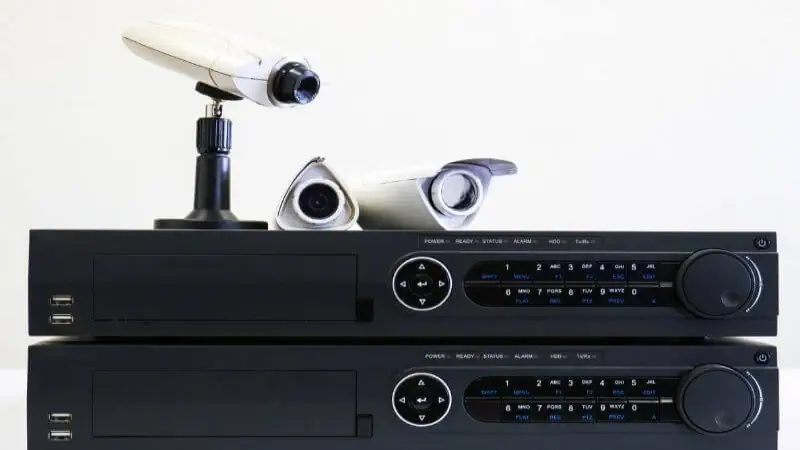
- How It Works: You install a surveillance SATA hard drive inside the metal case, plug your coaxial cameras into the rear BNC ports, connect a monitor and USB mouse, and the unit begins recording within minutes.
- Channel Capacities: Standalone DVRs are manufactured in standard multiples of four: 4-Channel, 8-Channel, 16-Channel, and 32-Channel models.
- Best For: Homeowners, small shops, pharmacies, and apartment buildings looking for an affordable, low-maintenance security system that automatically reboots and resumes recording after a power cut.
2. Pentabrid / XVR (5-in-1) DVRs (Current Industry Standard)
Between 2012 and 2016, different CCTV manufacturers invented competing technologies to transmit High-Definition (720p to 4K) video over standard coaxial cable:

- HD-TVI (used by Hikvision and HiWatch)
- HD-CVI (used by Dahua and CP Plus)
- AHD (used by Nextchip and universal camera brands)
- CVBS (traditional 960H analog)
Early on, plugging a Dahua HD-CVI camera into a Hikvision HD-TVI DVR resulted in a blank "No Video" screen. To solve this headache, manufacturers introduced the Pentabrid DVR—commonly marketed as an XVR or 5-in-1 DVR.
- Why Installers Prefer XVRs: An XVR automatically detects whether a connected camera is HD-TVI, HD-CVI, AHD, or CVBS on any BNC port without manual dip-switch changes. In addition, the “5th” technology in a 5-in-1 XVR is IP Camera support: for example, a standard 8-channel XVR lets you connect 8 BNC coaxial cameras plus 2 to 4 additional network IP cameras over your local LAN router/switch.
3. Hybrid DVRs
While most modern entry-level XVRs allow a few bonus IP cameras, a true Hybrid DVR is engineered specifically for commercial sites that run a heavy mix of existing coaxial wiring and high-resolution network IP cameras (often using the ONVIF compatibility standard).

- How It Works: A Hybrid DVR provides higher incoming network bandwidth (measured in Mbps, such as 64 Mbps to 128 Mbps) and allows you to convert any—or all—of its analog BNC channels into IP camera channels, alongside dedicated bonus IP channels.
- Best For: Retail stores, hotels, schools, and restaurants upgrading an older coaxial CCTV system in phases. You can keep your working coaxial cameras running on the BNC ports while adding new 4MP or 8MP IP cameras in critical areas like cash registers and parking lots.
4. PC-Based DVRs
A PC-Based DVR consists of one or more PCI Express (PCIe) video capture cards (fitted with multi-channel BNC breakout cables) installed inside a desktop computer or rackmount server running specialized DVR/VMS software.

- Advantages: Because it runs on a full PC architecture, a PC-based DVR allows massive storage expansion (multiple internal hard drives or RAID arrays), integration with point-of-sale (POS) cash register text overlays, and custom video analytics software.
- Why They Are Less Common Today: PC-based DVRs require regular operating system updates, antivirus management, and higher electrical power consumption. If the Windows OS freezes or suffers a blue-screen crash, all camera recording stops. For this reason, most modern installers prefer standalone embedded XVRs or NVRs unless custom PC software integration is strictly required.
5. Mobile DVRs (MDVRs)
A standard home or office DVR cannot survive inside a moving vehicle—potholes and engine vibrations would destroy a spinning 3.5-inch desktop hard drive within days, and fluctuating vehicle alternator voltage would fry a standard 12V adapter.

A Mobile DVR (MDVR) is purpose-built for transportation surveillance:
- Vibration & Shock Resistance: Uses spring-damped internal 2.5-inch HDD/SSD caddies or dual industrial SD card slots that withstand constant road shock.
- Aviation Connectors (M12): Instead of twist-lock BNC plugs (which can vibrate loose), MDVRs use threaded 4-pin waterproof Aviation connectors that carry video, audio, and 12V camera power inside a single rugged cable.
- Wide Automotive Power Input (9V–36V DC): Connects directly to a bus or truck battery and ignition wire (
ACC), allowing delayed shutdown so the recorder captures footage for a set period (e.g., 15 to 60 minutes) after the driver turns off the engine. - Telemetry & 4G/GPS: Often includes built-in GPS modules, 4G SIM card slots, and G-sensors to track vehicle speed, route history, harsh braking, and live remote video for fleet managers.
How Many and Which Ports Are There in a DVR? (Rear Panel Guide)
While the exact layout varies slightly between a 4-channel, 8-channel, or 16-channel model from Hikvision, Dahua, or CP Plus, nearly every standalone DVR includes the following standard ports on its rear panel:
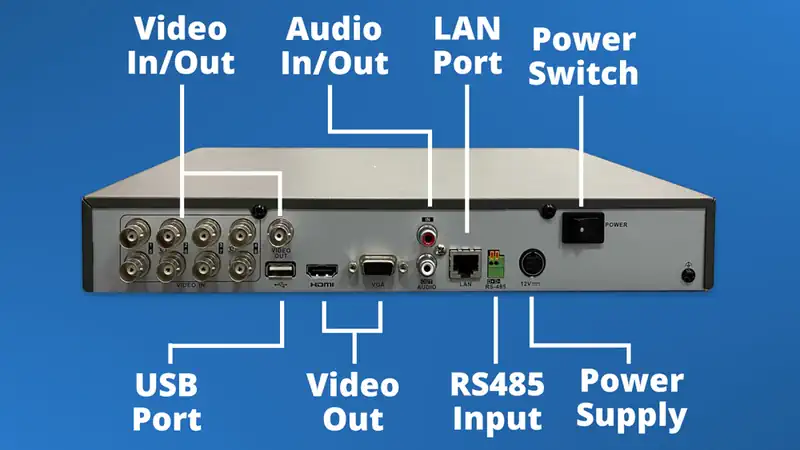
- Video Input Ports (BNC Female):
- Function: Used to connect coaxial CCTV cameras to the DVR. A 4-channel DVR has 4 BNC ports (
VIDEO IN 1–4), an 8-channel has 8, and a 16-channel has 16. - Technician Tip: If a connected camera displays a black screen or
"No Video", check whether the BNC center pin is loose or whether the camera’s megapixel rating exceeds the DVR’s maximum supported resolution (see our step-by-step guide on fixing CCTV Camera Not Working in DVR – No Video Problem Solved).
- Function: Used to connect coaxial CCTV cameras to the DVR. A 4-channel DVR has 4 BNC ports (
- Video Output Ports (HDMI, VGA, and CVBS Spot Out):
- Function: Connects the DVR to a TV or computer monitor for live viewing and menu configuration.
- HDMI Port: Carries both high-definition video (up to 1080p or 4K) and digital audio to a modern TV or monitor.
- VGA Port: Carries video to an older desktop computer monitor using a 15-pin D-Sub cable. Most DVRs allow simultaneous output on both HDMI and VGA.
- Audio Input & Output Ports (RCA Female):
- Audio In (Usually 1 to 4 White RCA Ports): Connects an external powered CCTV microphone to record voice alongside video. (Note: On modern HD-TVI, HD-CVI, and AHD XVRs, you can also transmit audio directly through the BNC Video Input port using Audio-over-Coax [AoC] cameras with built-in microphones—learn more in our guide: Can a CCTV Camera Record Audio?).
- Audio Out (Red RCA Port): Connects to external powered speakers to play back recorded audio or use Two-Way Talk from your mobile app.
- Ethernet / LAN Port (RJ45):
- Function: Connects the DVR to your local network switch or Wi-Fi router via a Cat5e/Cat6 patch cable. This enables smartphone remote viewing, PC client access, email alerts, and adding IP cameras on Hybrid/XVR units.
- USB Ports (USB 2.0 / USB 3.0):
- Function: Most DVRs feature two USB ports (one on the front or rear for your USB Mouse, and a second port for inserting a FAT32/exFAT USB Pen Drive to export video clips or upgrade firmware).
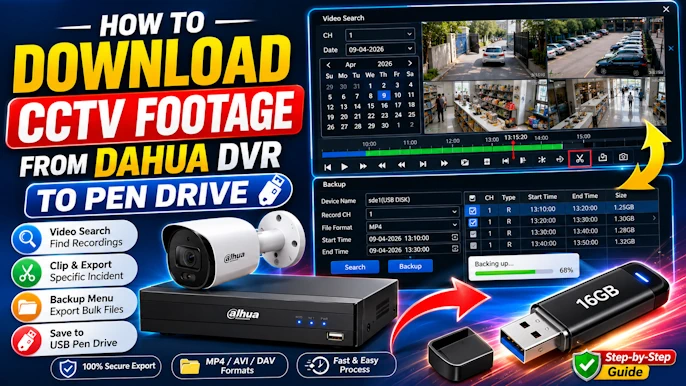
- Helpful Guides: See how to use this port to back up incident evidence in our tutorials on How to Download CCTV Footage from a Dahua DVR to a Pen Drive and How to Download CCTV Footage from a Hikvision DVR to a Pendrive.
- RS-485 Terminal Port (2-Pin Green Block:
A+/B-):- Function: Connects two-wire serial control cables to legacy PTZ (Pan-Tilt-Zoom) cameras using Pelco-D or Pelco-P protocols so you can rotate and zoom the camera from the DVR screen.
- Modern Note: On modern HD-over-Coax PTZ cameras, you rarely need the RS-485 port—PTZ movement and camera OSD menus are controlled directly over the coaxial video cable using UTC (Up-The-Coax / Coaxitron) technology.
- Alarm Input / Output Terminal Block (On Mid-to-High-End DVRs):
- Function: Allows you to wire external physical sensors (such as door magnetic contacts, PIR motion detectors, or panic buttons) into the DVR (
ALARM IN) and trigger external sirens or strobe lights (ALARM OUT/ Relay).
- Function: Allows you to wire external physical sensors (such as door magnetic contacts, PIR motion detectors, or panic buttons) into the DVR (
- 12V DC Power Input Port:
- Function: Connects the DVR’s external 12V DC power adapter.
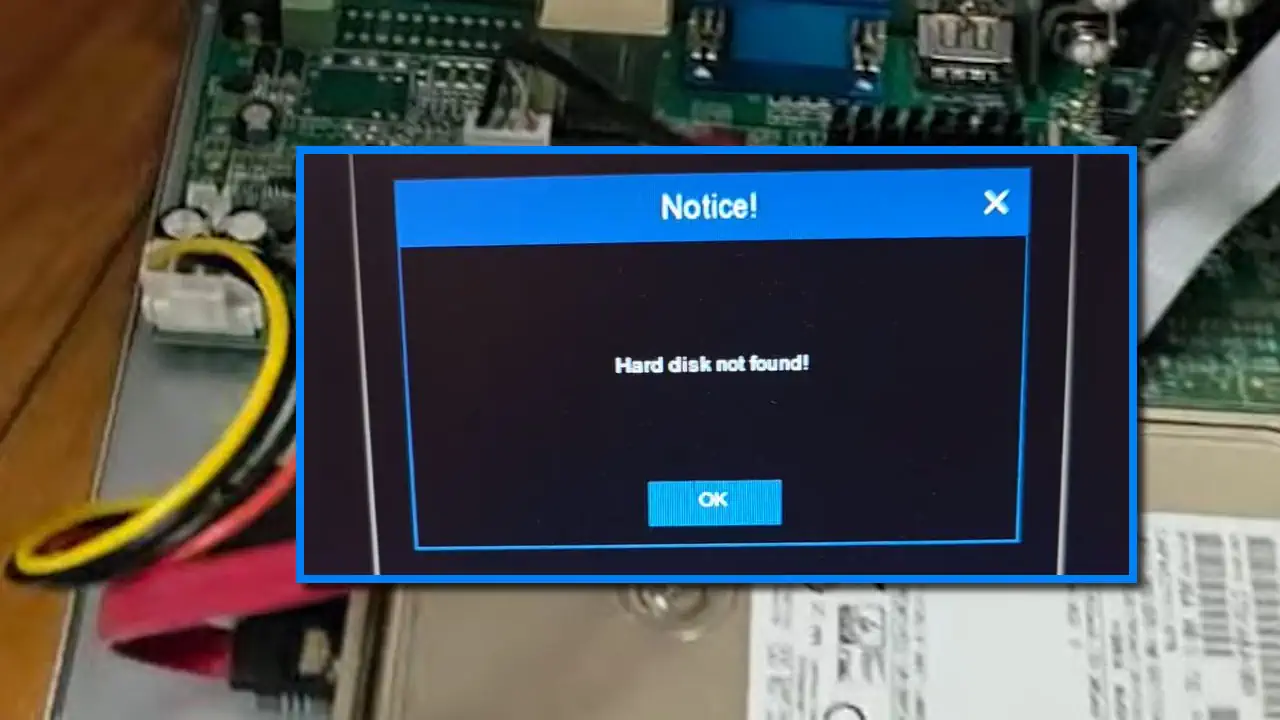
- Technician Warning: A 1-HDD DVR typically requires a 12V 2A dedicated adapter, while a 2-HDD 16-channel DVR requires 12V 3A to 5A. If the adapter weakens over time, the DVR may turn on its front LED lights but fail to spin up the internal hard drive, causing an HDD Not Found or Hard Drive Error.
Step-by-Step: How to Choose the Right DVR for Your CCTV System
Before buying a new or replacement DVR, run through these four engineering checks to avoid compatibility issues:
Step 1: Count Your Current and Future Cameras (Channel Size)
Never buy a DVR that has zero spare ports if you might expand later.
- If you are installing 1 to 4 cameras, buy a 4-Channel (or 8-Channel) DVR.
- If you are installing 5 to 8 cameras, buy an 8-Channel DVR (there is no such thing as a 6-channel standalone DVR).
- If you are installing 9 to 16 cameras, buy a 16-Channel DVR.
Step 2: Check the Maximum Supported Camera Resolution (1080p Lite vs. Full 1080p vs. 5MP/4K)
Look closely at the DVR’s datasheet under Recording Resolution, not just “Preview Resolution”:
- Many budget DVRs labeled “1080p” actually record in 1080N (1080p Lite — 960×1080 pixels) at 12–15 FPS.
- If you are buying 2MP (1080p) cameras and want crisp license plate or facial detail, choose a DVR rated for Full 1080p (1920×1080) recording.
- If you are installing 5MP or 8MP (4K) HD-over-Coax cameras, ensure the DVR explicitly supports 5MP / 4K BNC input; plugging a 5MP coax camera into a 1080p-only DVR will result in a black screen.
Step 3: Choose a Pentabrid (5-in-1 XVR) Over a Single-Format DVR
Always select a 5-in-1 Pentabrid XVR that supports HD-TVI, HD-CVI, AHD, CVBS, and IP. This guarantees that if a camera fails three years from now, you can replace it with any major brand’s camera (Hikvision, Dahua, CP Plus, Prama, UNV) without replacing the recorder.
Step 4: Calculate Your Surveillance Hard Drive (HDD) Capacity
DVRs are almost always sold without a hard drive (“Diskless”) so you can choose the storage size that fits your retention needs:
- Always buy a 3.5-inch Surveillance-Grade SATA Hard Drive (such as WD Purple or Seagate SkyHawk) engineered for 24/7 continuous write cycles. Never install a standard desktop PC hard drive, which will overheat and fail rapidly.
- Use our free CCTV HDD Calculator and CCTV Retention Days Calculator to calculate the exact terabytes (1TB, 2TB, 4TB, or 6TB) required for 15, 30, or 90 days of backup.
Essential Safety, Cybersecurity & Privacy Warnings
When installing and configuring a CCTV DVR, follow these three field safety practices:
- Electrical & Hard Drive Installation Safety: Always shut down the DVR from the system menu and unplug the 12V DC power adapter before unscrewing the metal top cover to connect SATA data and power cables to the hard drive. Connect your DVR and camera power supply to a dedicated UPS (Uninterruptible Power Supply) to prevent sudden power cuts from corrupting the hard drive file system.
- Network & Remote Viewing Cybersecurity:
- During initial activation, create a strong administrator password (at least 8–12 characters combining uppercase, lowercase, numbers, and symbols) and never leave default credentials active.
- Avoid Manual Router Port Forwarding: Exposing DVR ports (such as HTTP port
80or RTSP port554) directly to the public internet via router port forwarding or DMZ makes your recorder vulnerable to automated cyberattacks (CISA IoT Security Guidance). Instead, use the manufacturer’s encrypted P2P cloud service with Stream Encryption / Verification Code enabled, or access the local network via a secure VPN.
- Legal Audio & Surveillance Privacy: If you enable Audio-over-Coax or connect an external microphone to the DVR’s RCA Audio Input port, verify your local surveillance and wiretapping laws. In many jurisdictions, recording private conversations without visible signage or participant consent is illegal.
Frequently Asked Questions (FAQs)
Does a CCTV DVR work without an internet connection?
Yes. A CCTV DVR does not need an internet connection to record video, detect motion, store footage on its internal hard drive, or display live cameras on a local HDMI/VGA monitor. An internet connection is only required if you want to view your cameras remotely on a smartphone app or receive mobile push notifications when away from the property.
Can I connect an IP camera to a regular CCTV DVR?
Yes, provided your DVR is a modern Pentabrid (5-in-1 XVR) or Hybrid DVR. Because a standard coaxial DVR does not have built-in PoE ports on the back, you simply connect the IP camera to a PoE switch (or power it with a 12V adapter) plugged into the same local network router as the DVR’s RJ45 Ethernet port, and add the camera via the DVR’s Camera Management -> IP Camera menu using the ONVIF protocol or the manufacturer’s protocol.
How many days of footage can a 1TB hard drive store in a DVR?
Storage duration depends on the number of cameras, resolution, frame rate (FPS), and video compression codec. As a general benchmark, a 1TB hard drive in a 4-channel DVR recording four 1080p (2MP) cameras 24/7 at 15 FPS using H.265 compression stores roughly 12 to 15 days of continuous footage before overwriting the oldest files. Enabling motion-only recording can double or triple that retention period.
What is the difference between a DVR and an XVR?
A traditional DVR only accepts one specific type of coaxial analog signal (such as legacy CVBS or a single brand’s HD format). An XVR (Pentabrid 5-in-1 DVR) is an upgraded DVR that automatically accepts all five major surveillance signals: HD-TVI, HD-CVI, AHD, CVBS (analog), and network IP cameras. Today, almost all new coaxial recorders sold by Dahua, CP Plus, and Hikvision operate as multi-format XVRs.